Analytics
Google Analytics collects usage and behavior data for your app.
Before Starting
Firebase Features uses Unreal Engine's analytic system. To use this system as the default system for your project, you have to edit your project's configuration.
Open <YourGame>/Config/DefaultEngine.ini and add the following lines:
[Analytics]
ProviderModuleName=FirebaseFeatures
Managing the Analytic Session
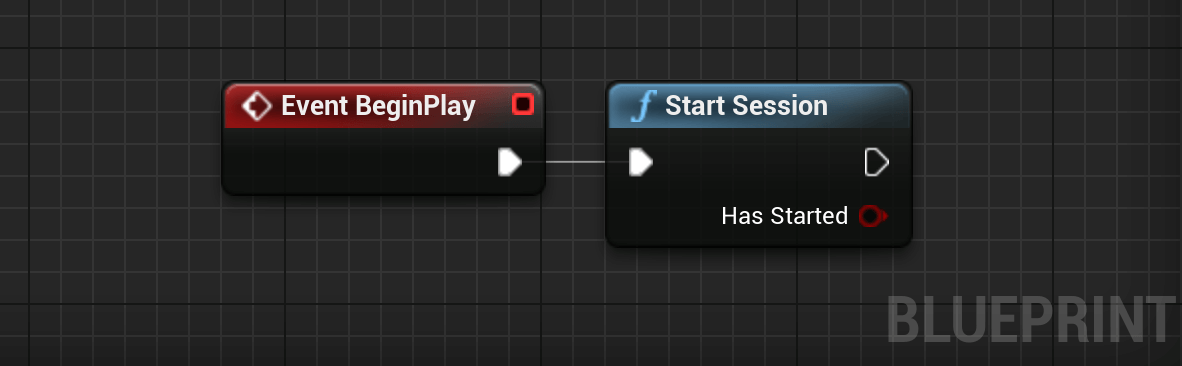
You can now start an Analytic Session with the following node:
BlueprintsC++
#include "Analytics/FirebaseAnalyticsLibrary.h"
void UMyGameInstance::StartPlay()
{
    Super::StartPlay();

    // Starts the analytics session.
    const bool bStarted = UFirebaseAnalyticsLibrary::StartSession();

    if (!bStarted)
    {
        // Handle session start error here.
    }
}
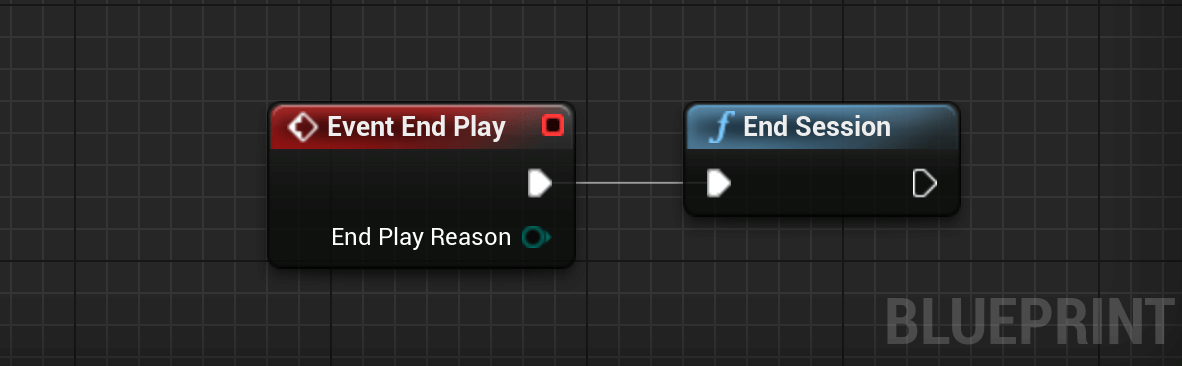
And if you want to end the session, you can call End Session at any time:
BlueprintsC++
#include "Analytics/FirebaseAnalyticsLibrary.h"
void UMyGameInstance::EndPlay(EEndPlayReason Reason)
{
    Super::EndPlay(Reason);

    // Ends the analytics session.
    UFirebaseAnalyticsLibrary::EndSession();
}
Logging Events
Now that the analytic session has started, you can start logging events. Firebase Features offers several methods to easily log different kinds of events:
BlueprintsC++
#include "FirebaseAnalyticsLibrary.h"
#include "FirebaseSdk/FirebaseVariant.h"
// 1. Simple event logging without parameters.
UFirebaseAnalyticsLibrary::LogEvent(TEXT("tutorial_start"));
// 2. Logging events with a single parameter.
UFirebaseAnalyticsLibrary::LogEventString(TEXT("join_group"), TEXT("group_id"), TEXT("guild_alpha"));
UFirebaseAnalyticsLibrary::LogEventInt32(TEXT("level_up"), TEXT("level"), 15);
UFirebaseAnalyticsLibrary::LogEventFloat(TEXT("item_purchase"), TEXT("price"), 9.99f);
// 3. Logging complex events with multiple parameters.
TMap<FString, FFirebaseVariant> Params;
Params.Add(TEXT("item_id"), TEXT("power_up_01"));
Params.Add(TEXT("item_name"), TEXT("Shield"));
Params.Add(TEXT("quantity"), 1);
Params.Add(TEXT("value"), 50.5);
UFirebaseAnalyticsLibrary::LogEventWithParameters(TEXT("select_content"), Params);
// 4. Setting User Properties for segmentation.
UFirebaseAnalyticsLibrary::SetUserId(TEXT("user_12345"));
UFirebaseAnalyticsLibrary::SetUserProperty(TEXT("premium_user"), TEXT("true"));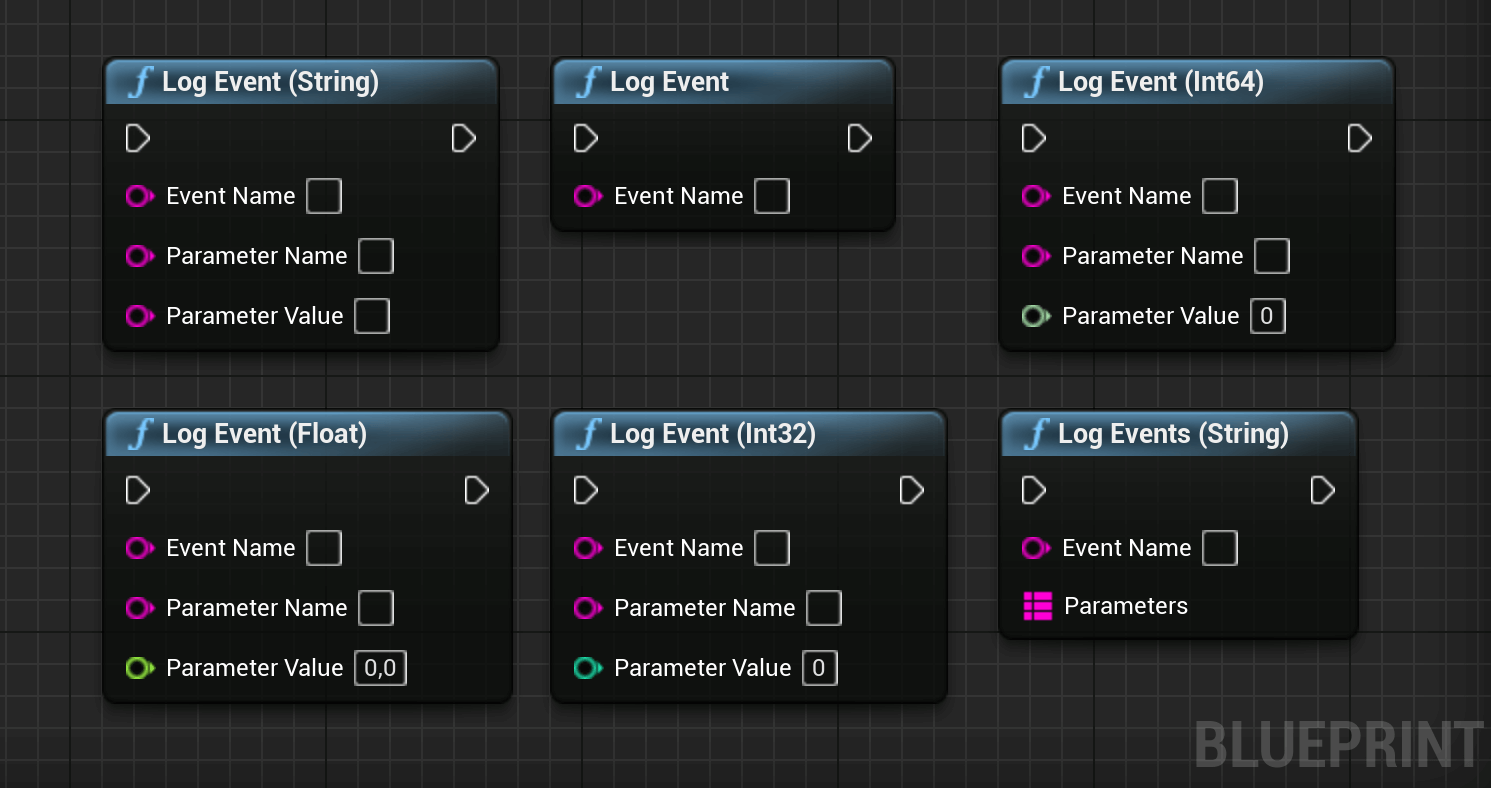
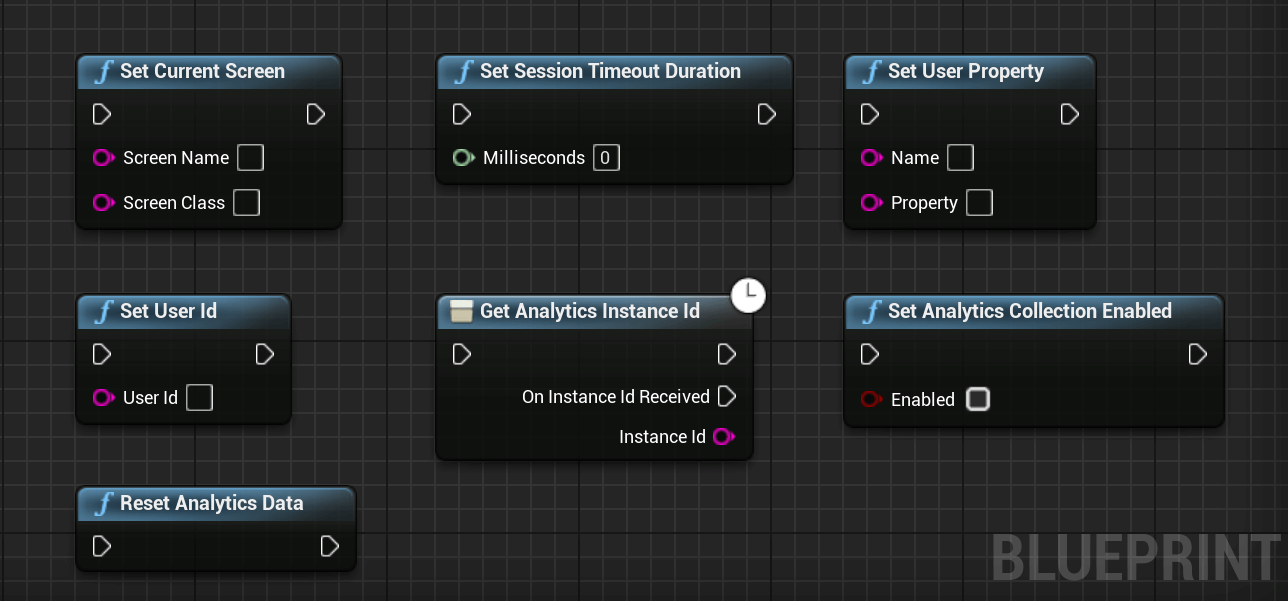
Going Further
Firebase Features offers other methods to manage analytics. You can safely call them after you started the session.
BlueprintsC++
// 1. Manually sets the visual context.
// Identifies areas where users spend time.
UFirebaseAnalyticsLibrary::SetCurrentScreen(TEXT("Main_Menu"), TEXT("AMenuGameMode"));
// 2. Setting User ID.
// Identifies a unique user across sessions and devices.
UFirebaseAnalyticsLibrary::SetUserId(TEXT("user_99872"));
// 3. Setting User Properties.
// Sets persistent attributes for audience segmentation.
UFirebaseAnalyticsLibrary::SetUserProperty(TEXT("account_type"), TEXT("premium"));
// 4. Retrieving the Analytics Instance ID.
// Used to identify a specific app instance for debugging.
FFirebaseAnalyticsStringCallback IDCallback;
IDCallback.BindLambda([](int32 Code, const FString& InstanceId)
{
    if (Code == 0)
    {
        UE_LOG(LogTemp, Log, TEXT("Analytics Instance ID: %s"), *InstanceId);
    }
});
UFirebaseAnalyticsLibrary::GetAnalyticsInstanceId(IDCallback);
// 5. Resetting Analytics Data.
// Clears local data and resets the App Instance ID.
UFirebaseAnalyticsLibrary::ResetAnalyticsData();
// 6. Enabling/Disabling Collection.
// Persistence-based toggle for privacy or opt-out settings.
UFirebaseAnalyticsLibrary::SetAnalyticsCollectionEnabled(false);
// 7. Managing Session Timeouts.
// Inactivity duration (ms) before starting a new session.
UFirebaseAnalyticsLibrary::SetSessionTimeoutDuration(900000);