Cloud Messaging
Firebase Cloud Messaging (FCM) is a cross-platform messaging solution that lets you reliably send messages at no cost.
Using FCM, you can notify a client app that new email or other data is available to sync. You can send notification messages to drive user re-engagement and retention. For use cases such as instant messaging, a message can transfer a payload of up to 4KB to a client app.
Receive a message
To handle Messaging's module events, we have to call the Listen for Messaging Events node:
BlueprintsC++
#include "Messaging/MessagingLibrary.h"
// 1. Bind to the OnMessage delegate to handle incoming messages.
FFirebaseMessagingLibrary::OnMessage().AddLambda([](const FFirebaseMessage& Message)
{
    // Check if the message contains a notification.
    if (!Message.Notification.Title.IsEmpty())
    {
        UE_LOG(LogTemp, Log, TEXT("Notification Received! Title: %s, Body: %s"),
            *Message.Notification.Title, *Message.Notification.Body);
    }
    // Access custom data sent with the message.
    for (const auto& Entry : Message.Data)
    {
        UE_LOG(LogTemp, Log, TEXT("Key: %s, Value: %s"), *Entry.Key, *Entry.Value);
    }
    // Check if the message was opened via the system tray.
    if (Message.bNotificationOpened)
    {
        UE_LOG(LogTemp, Log, TEXT("The user tapped the notification to open the app."));
    }
});
// 2. Bind to the OnTokenReceived delegate.
// You usually need this token to send messages to this specific device from your server.
FFirebaseMessagingLibrary::OnTokenReceived().AddLambda([](const FString& Token)
{
    UE_LOG(LogTemp, Log, TEXT("FCM Registration Token: %s"), *Token);
});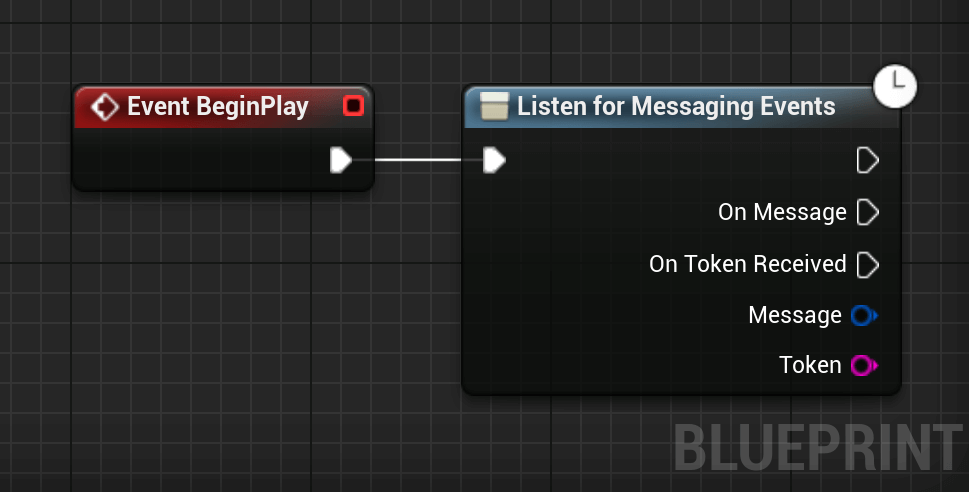
After that, the execution pin On Message is going to fire each time a message is received.