User Messaging Platform
User Messaging Platform (UMP) is a Google SDK that helps you manage user consent, particularly for privacy regulations like GDPR and CCPA. It handles the display of consent forms, collects user choices regarding personalized ads and data usage et passes that information to advertising SDKs like AdMob. Your code uses the UMP SDK to request and respect the user's consent status without needing to build and manage your own complex consent flow.
Update Consent Info
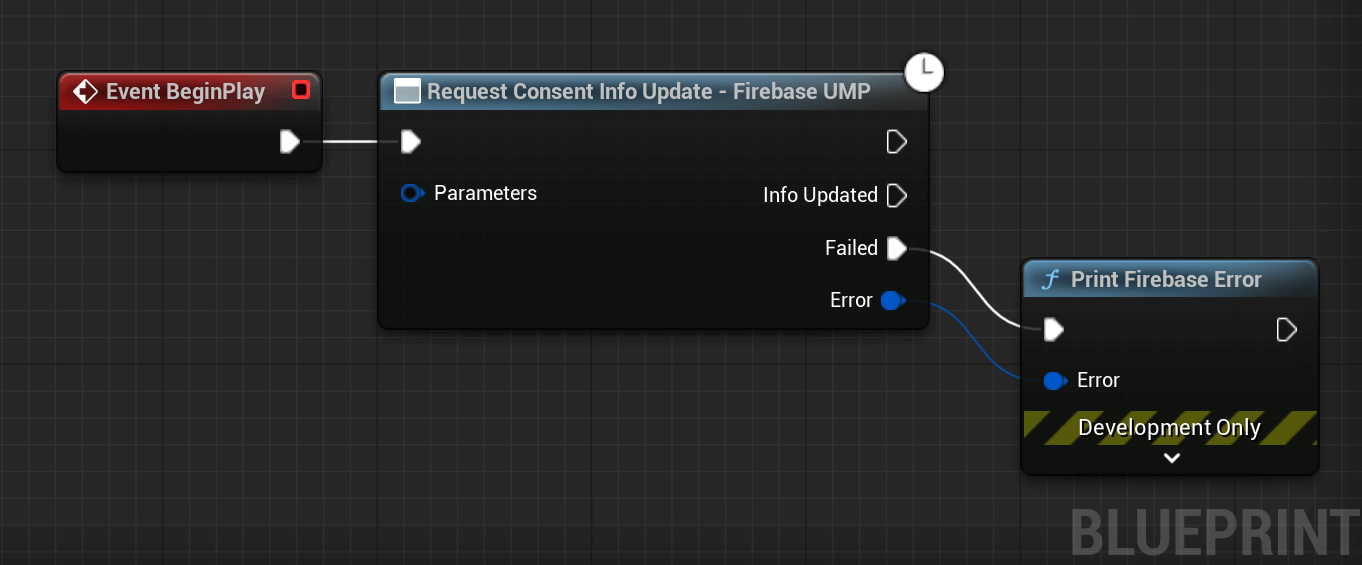
Start by requesting the consent information update.
It must be called in every app session
before checking the user's consent status or loading a consent form. After
calling this method, GetConsentStatus() and CanRequestAds() will be
updated immediately to hold the consent state from the previous app
session, if one exists. GetConsentStatus() and CanRequestAds() may be
updated again immediately before the Info Updated pin is fired.
#include "UMP/FirebaseUMP.h"
// 1. Prepare request parameters.
FFirebaseUMPConsentRequestParameters Params;
Params.bTagForUnderAgeOfConsent = false;
// 2. Request the update.
FirebaseUMP::RequestConsentInfoUpdate(Params, FFireabseUMPCallback::CreateLambda([](const FFirebaseError& Error)
{
    if (!Error)
    {
        // Consent information successfully updated.
        const EFirebaseUMPConsentStatus Status = FirebaseUMP::GetConsentStatus();
    }
    else
    {
        UE_LOG(LogTemp, Error, TEXT("UMP: Update failed [%d]: %s"), Error.Code, *Error.Message);
    }
}));
You can simulate being in the EEA or not using the
DebugGeographyoption of theParameters. Also specify your test device ID there.
Load and Show the Form
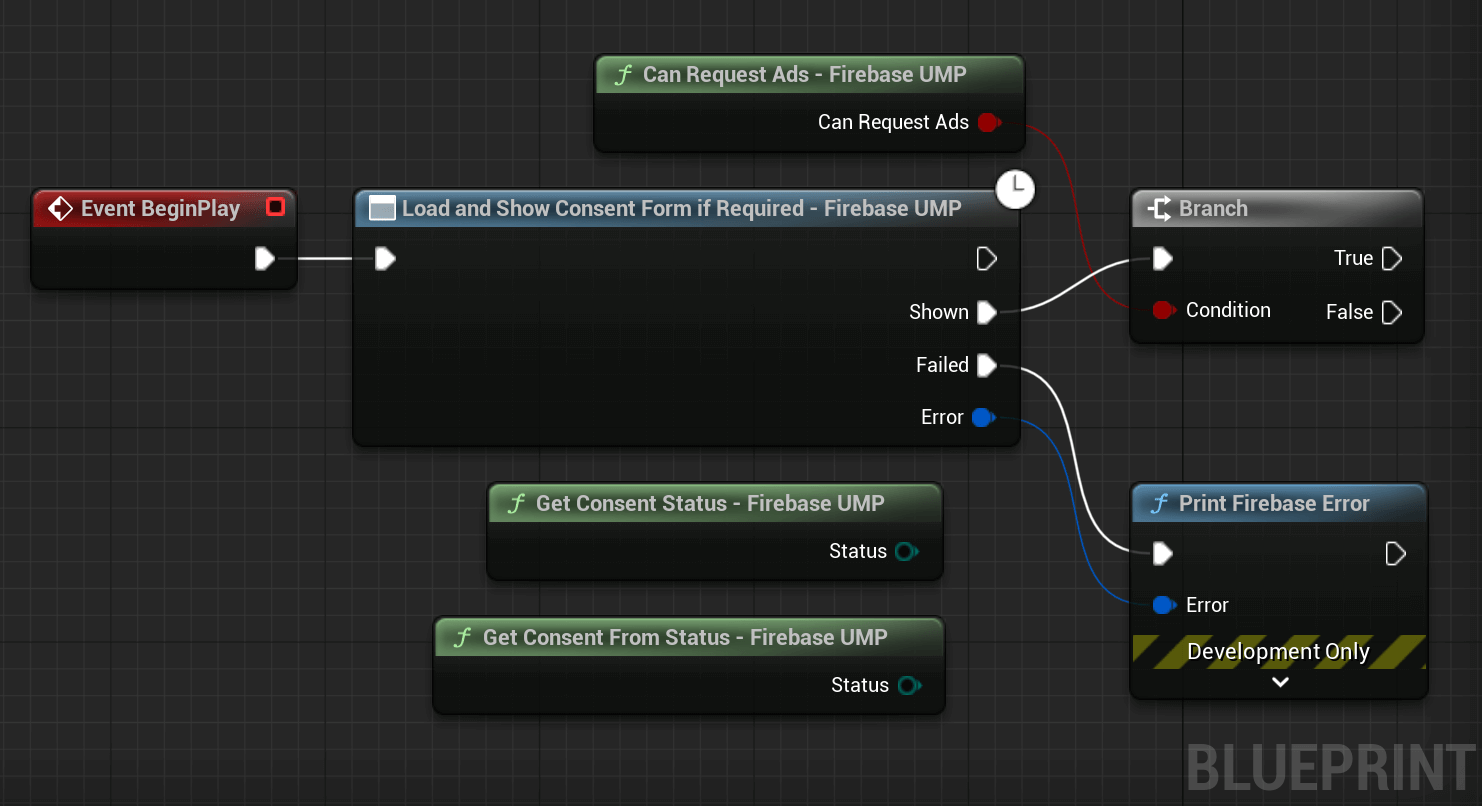
You can now load a consent form and immediately present it using the following code.
The form is only shown if ConsentStatus is Required.
The Shown pin will be completed successfully after the user selects an option
(and the form is dismissed), or if the form is not required. It
will be completed with an error if the form fails to load or show.
GetConsentStatus() and CanRequestAds() will be updated prior to the Shown pin being fired.
#include "UMP/FirebaseUMP.h"
// 1. Call this after RequestConsentInfoUpdate has completed successfully.
FirebaseUMP::LoadAndShowConsentFormIfRequired(FFireabseUMPCallback::CreateLambda([](const FFirebaseError& Error)
{
    // The operator bool() returns true if an error occurred.
    if (!Error)
    {
        // 2. Check if the app is now authorized to request ads.
        if (FirebaseUMP::CanRequestAds())
        {
            // Ready to initialize AdMob.
        }
    }
    else
    {
        // 3. Log the failure using the error code and message.
        UE_LOG(LogTemp, Error, TEXT("UMP: Form error [%d]: %s"), Error.Code, *Error.Message);
    }
}));
More Control over the Form
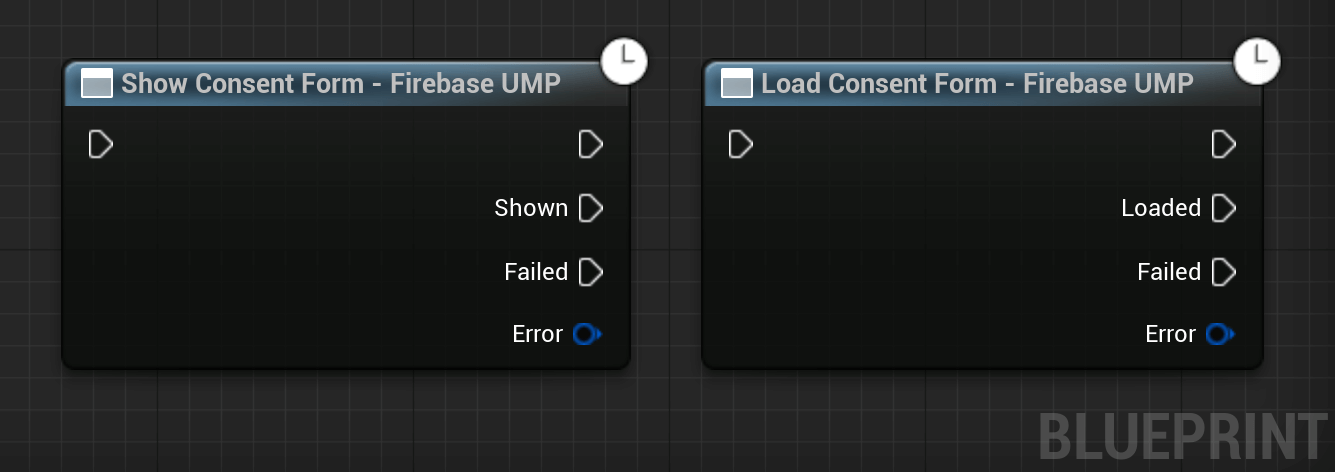
You can also load and show the form separately, it can be useful to pre-load the form or to have consent logic better fit with your app's flow.
#include "UMP/FirebaseUMP.h"
// 1. Load the form.
FirebaseUMP::LoadConsentForm(FFireabseUMPCallback::CreateLambda([](const FFirebaseError& Error)
{
    if (!Error)
    {
        // 2. Show the form once it is loaded.
        FirebaseUMP::ShowConsentForm(FFireabseUMPCallback::CreateLambda([](const FFirebaseError& ShowError)
        {
            if (!ShowError)
            {
                // Form dismissed, check if ads can be requested.
                if (FirebaseUMP::CanRequestAds())
                {
                    // Initialize ads.
                }
            }
        }));
    }
}));