Getting Started - SQLite3 for Unreal Engine
This page covers the essential operations to get you started:
- opening a database
- running queries (sync/async)
- reading results
- binding parameters.
All examples work in both C++ and Blueprints.
1. Create a Database
Let's start by creating a database. The function to open a database will create it if it does not exist.
#include "SQLitePro.h"
#include "Misc/Paths.h" // For FPaths
// Where the database will be created/loaded
const FString DbPath = FPaths::ProjectSavedDir() / TEXT("mydb.db");
// Creates the database, or loads it if it already exists.
TUniquePtr<FSQLiteProDatabase> Database = FSQLiteProDatabase::Create(DbPath);
// If you need Blueprints interop, use the UObject wrapper.
USQLiteProDatabase* Database USQLiteProDatabase::Create(DbPath);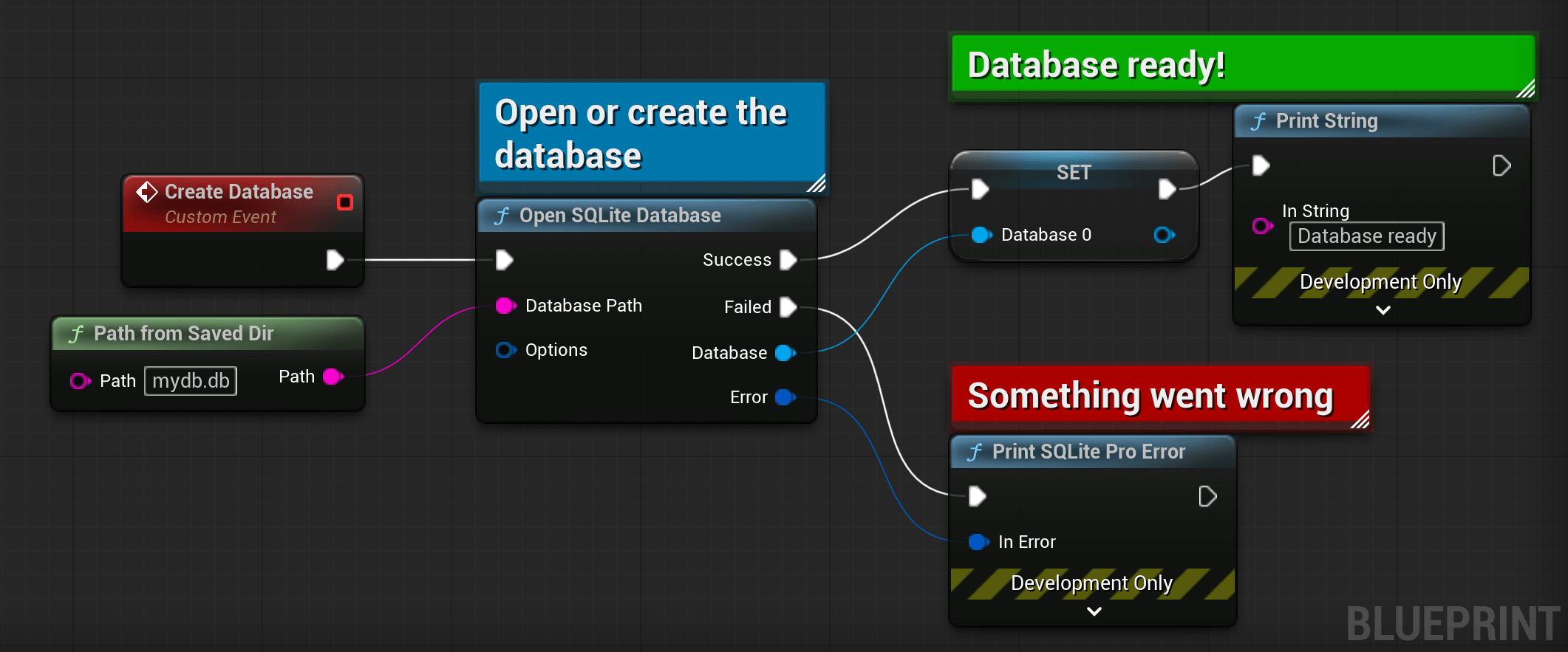
2. Running Queries
You have two choices for every query:
- Synchronous (
ExecuteSync) blocks the caller. Fine for smaller queries. - Asynchronous (
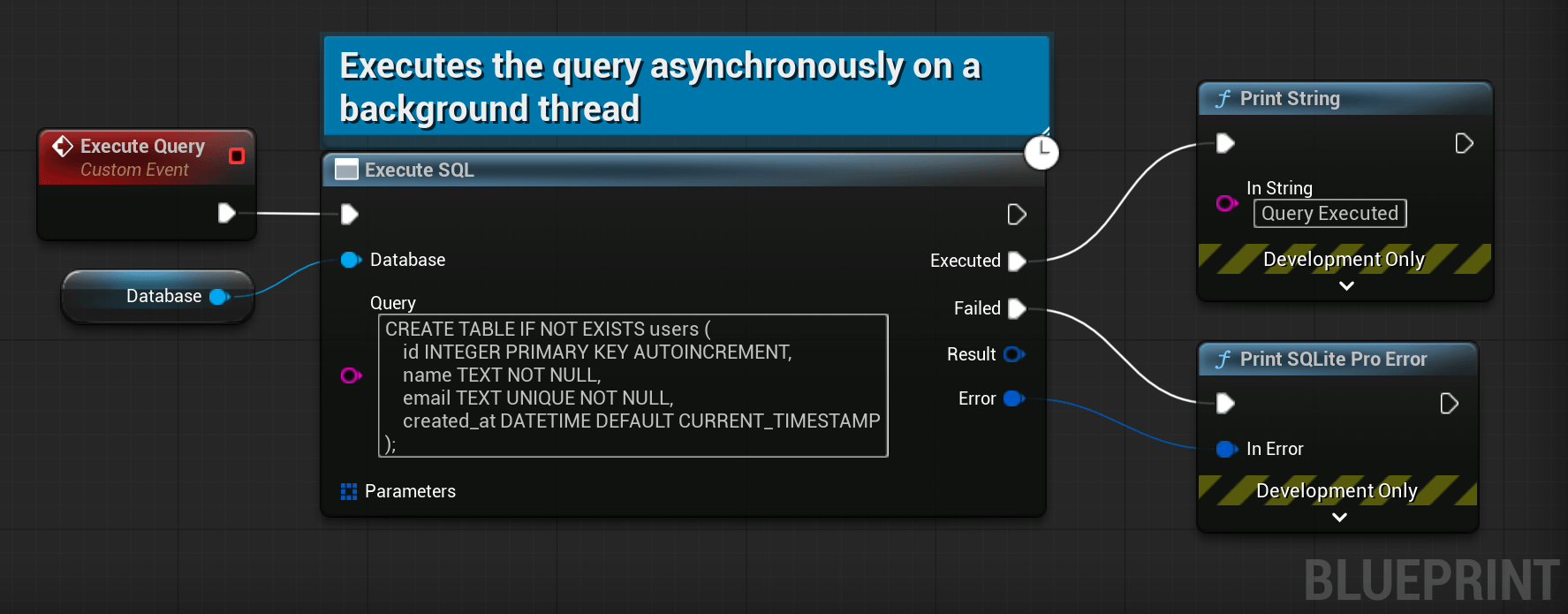
Execute) runs on a background thread and fires a callback on the game thread.
Mixing synchronous and asynchronous might not respect the query calling order. Do not mix both when running transactions.
2.1. Execute a Query
You can execute a query using the following code.
The callback receives a Result on success and an Error on failure. The error contains the SQLite extended code and a human‑readable message – log it for debugging.
This method runs only the first SQL statement in the string. If you have multiple statements separated by semicolons, the rest are ignored. Use ExecuteMany (next section) to run multiple queries.
// The query we want to run on the database.
const TCHAR* const Query =
    TEXT("CREATE TABLE IF NOT EXISTS users (")
    TEXT("    id INTEGER PRIMARY KEY AUTOINCREMENT,")
    TEXT("    name TEXT NOT NULL,")
    TEXT("    email TEXT UNIQUE NOT NULL,")
    TEXT("    created_at DATETIME DEFAULT CURRENT_TIMESTAMP")
    TEXT(");");
// Run synchronously, blocking until the table is created.
Database->ExecuteSync(Query);
// Run the query asynchronously on the database
Database->Execute(Query);
// Add a callback to fire when it is executed.
Database->Execute(Query, /* Parameteres= */ {},
    FSQLiteProExecuteQueryCallback::CreateLambda([](FSQLiteProResult Result, FSQLiteProError Error)
{
    if (Error)
    {
        // Something went wrong
        UE_LOG(LogTemp, Error, TEXT("My query failed: %s"), *Error.Message);
    }
    else
    {
        // The query was executed.
    }
}));
2.2. Execute Multiple Queries
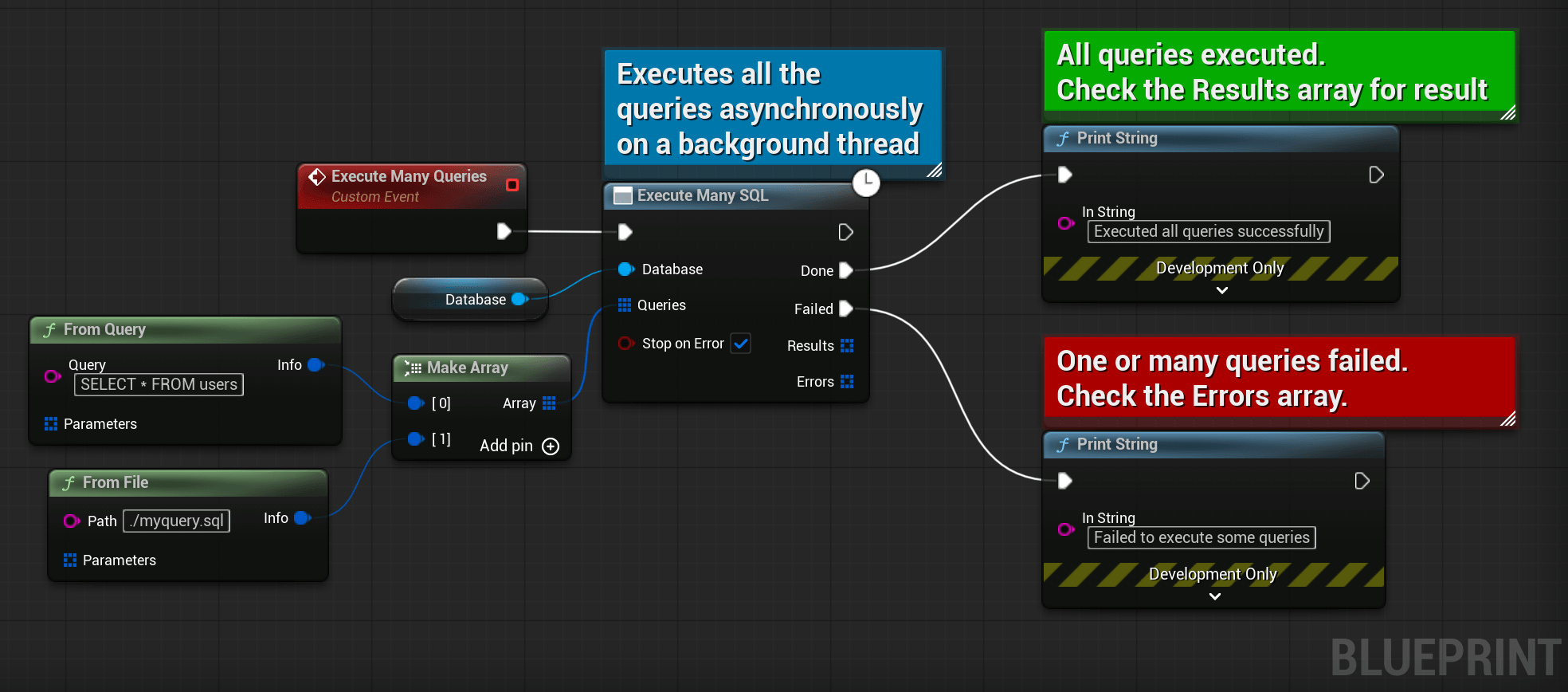
Use the following code to execute multiple queries in order. Queries are executed in order on a background thread for the async variant.
Each query can be provided as a raw string (FromQuery) or loaded from a file (FromFile). If one query fails, the remaining ones still run, if Stop on Error is set to false. There is no automatic rollback.
// Executes a list of queries.
Database->ExecuteMany({
    // A query from a string.
    FSQLiteProQueryInfo::FromQuery(TEXT("SELECT * FROM users")),
    // A query from a file, loaded just before execution.
    FSQLiteProQueryInfo::FromFile(TEXT("myquery.sql")),
});
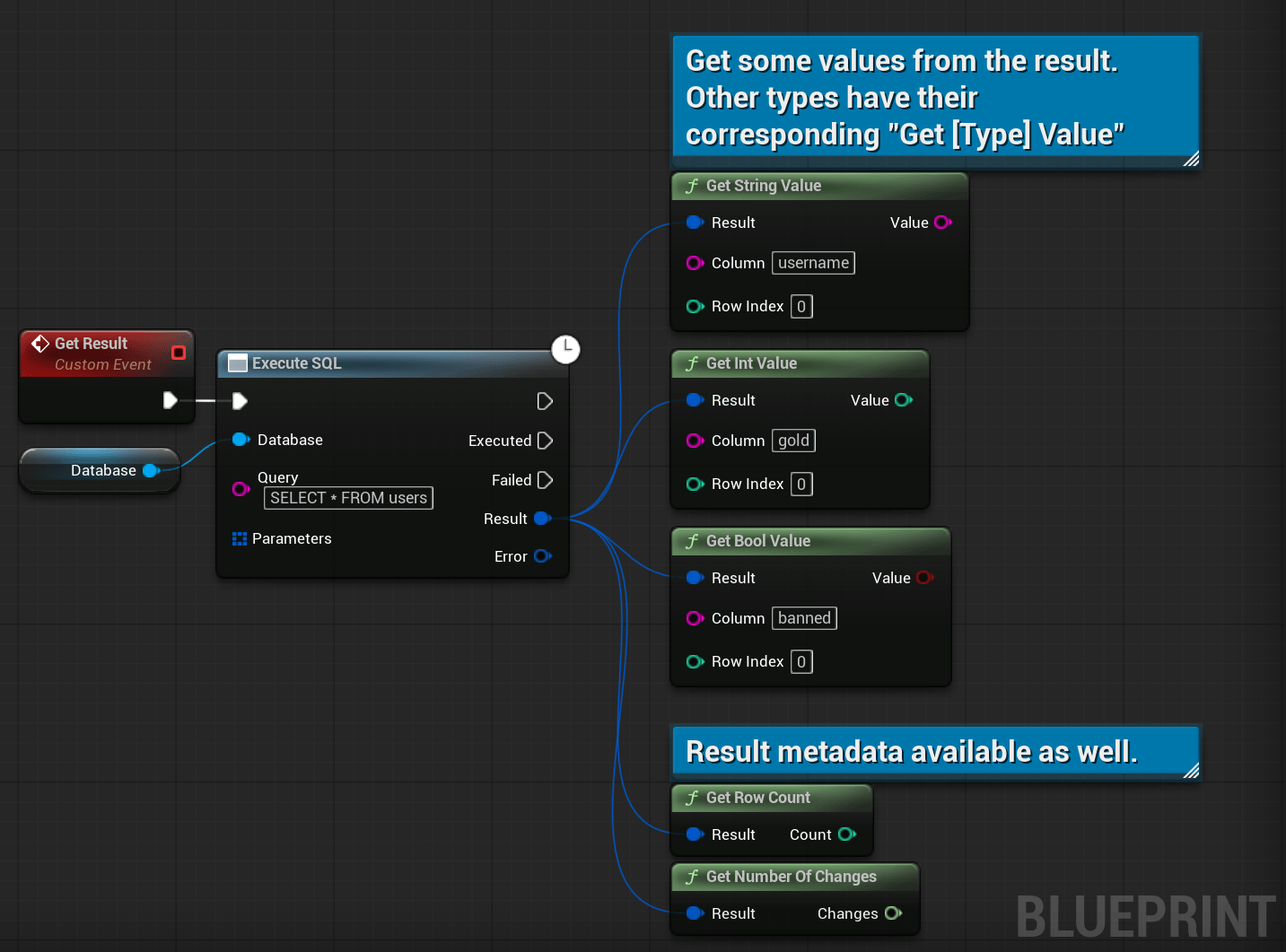
2.3. Getting Data from a Query
When your SELECT returns rows, you access them by index and column name.
Avoid iterating all rows just to count them – use
SELECT COUNT(*)instead.
Database->Execute(TEXT("SELECT * FROM users"),
    FSQLiteProExecuteQueryCallback::CreateLambda([](FSQLiteProResult Result, FSQLiteProError Error)
{
    if (Error)
    {
        // Something went wrong
        UE_LOG(LogTemp, Error, TEXT("My query failed: %s"), *Error.Message);
    }
    else
    {
        // Query succeded, let's get some data.
        for (int32 i = 0; i < Result.GetRowCount(); ++i)
        {
            // We can get the value directly.
            FString Username  = Result[i]["username"];
            int64   Gold      = Result[i]["gold"];
            bool    bIsBanned = Result[i]["banned"];
            // We can get a ref to a blob to avoid copies. Only for blobs.
            const TArray<uint8>& BlobRef = Result[i]["hashed_password"].AsBlob();
            // We can also get the type of a column.
            ESQLiteProValueType ColumnType = Result[i]["some_column"].GetType();
        }
        // We can also inspect the columns
        TSet<FString> AvailableColumns = Result.GetColumns();
        const bool    bHasGemColumn    = Result.HasColumn(TEXT("gems"));

        // Query metadata
        int64 NumberOfChanges = Result.GetNumberOfChanges();
        int64 RowCount        = Result.GetRowCount();
    }
}));
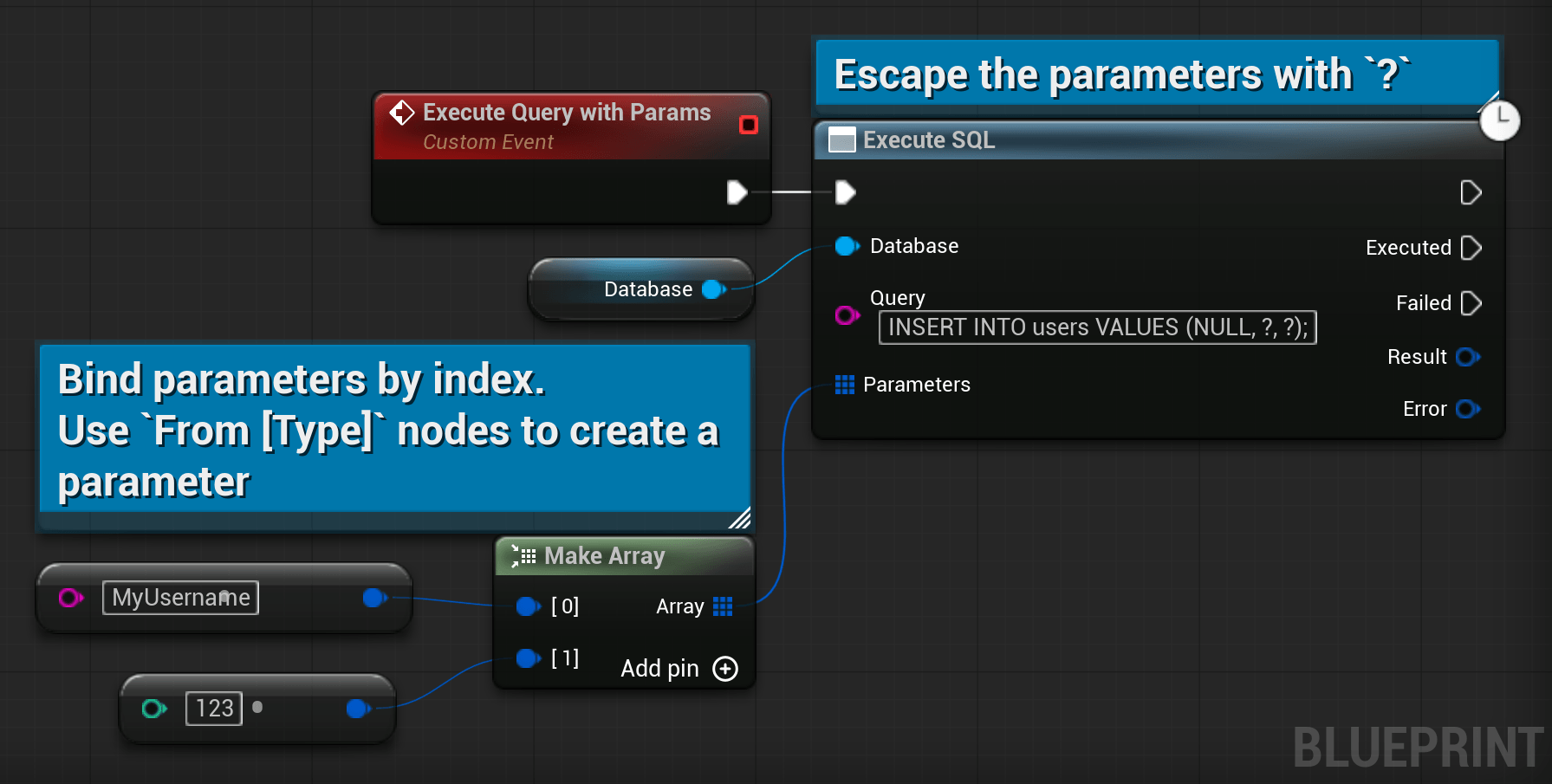
2.4. Parameter Binding
Hard‑coding values into SQL strings is unsafe. Use parameter binding instead.
Positional placeholders (?) are bound in order.
// Executes the query.
Database->Execute(
    // The query, with escaped parameters as `?`.
    TEXT("INSERT INTO users VALUES (NULL, ?, ?, ?);"),

    // The list of parameters, of type TArray<FSQLiteProParameter>.
    { 1, TEXT("Foo"), 2.0}
);
3. Other Methods
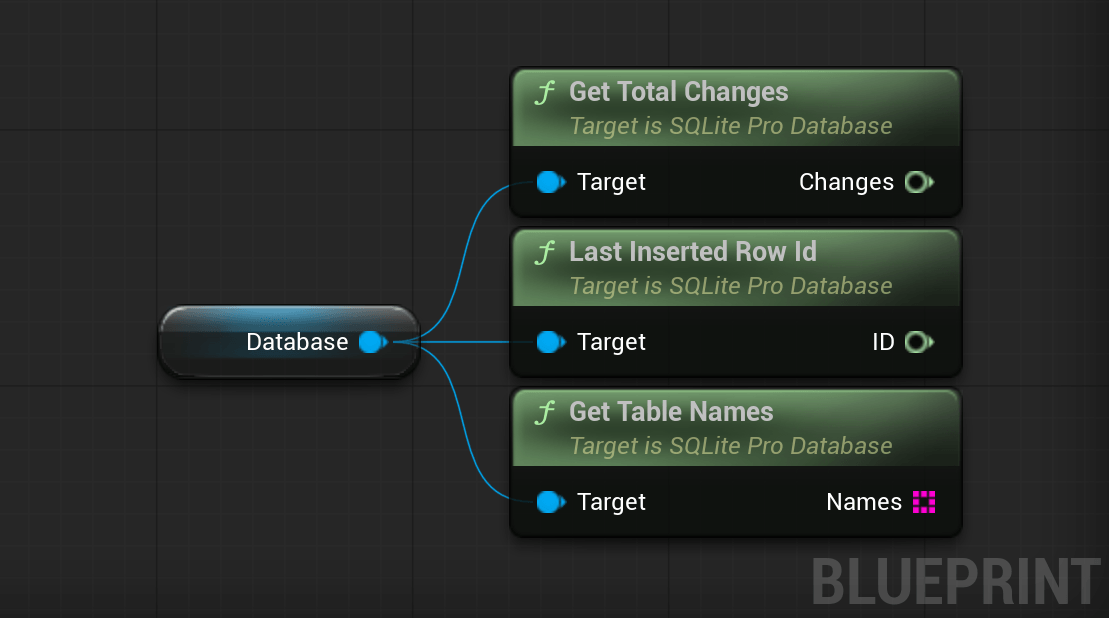
// Gets the total number of rows modified, inserted, or deleted since this database connection was opened.
int64 TotalChanges = Database->GetTotalChanges();
// Returns the row ID of the most recent successful INSERT operation.
int64 LastInsertedRowId = Database->LastInsertedRowId();
// Retrieves the names of all user-defined tables currently in the database.
TArray<FString> TableNames = Database->GetTableNames();