Creating a Backup of a SQLite3 Database
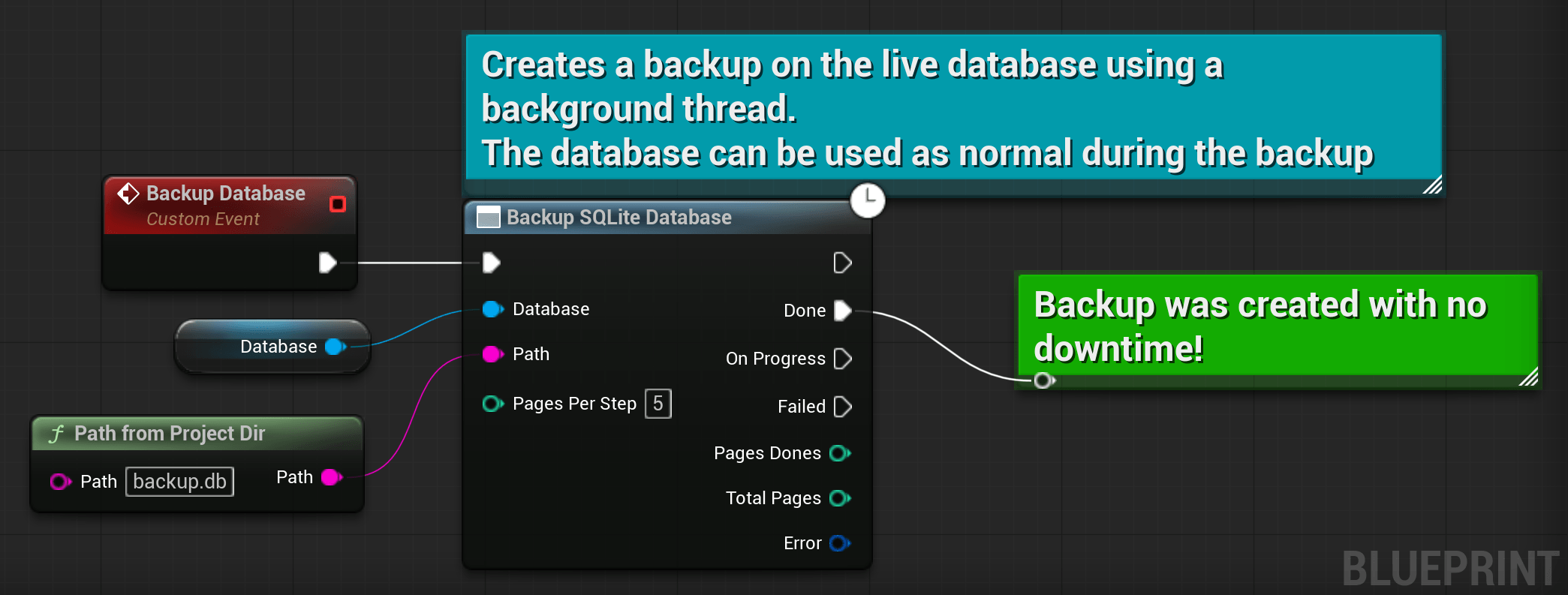
This section shows how to perform an online (hot) backup of your SQLite database while it is opened and actively in use. It prevents file corruption that occurs when manually copying a live .db file. It runs asynchronously on a dedicated thread without blocking the game thread.
The source database stays fully online during the backup. Reads and writes are allowed, though performance may dip slightly depending on your PagesPerStep setting.
PagesPerStep controls the chunk size. Small values (e.g., 5) lock the database briefly per chunk. Keeps gameplay responsive but extends total time. Larger values finish faster but may cause brief hitches. Tune it if you notice stutter.
#include "SQLitePro.h
// Launches the backup on a background dedicated thread.
// You can continue to use the database as usual during the backup.
Database->Backup(
  // Backup destination
  TEXT("./my-backup.db"),

  // How many pages to copy in each step.
  /* PagesPerStep = */ 5,

  // Callback called when the operation terminated.
  /* OnComplete = */FSQLiteProBackupCallback::CreateLambda([](FSQLiteProError Error)
  {
    if (Error)
    {
      // Something went wrong and the backup failed.
      UE_LOG(LogTemp, Error, TEXT("Backup failed: %s"), *Error.Message);
    }
    else
    {
      // Backup succeeded.
    }
  }),
  // Optional callback called after backup progress.
  /* OnProgress = */ FSQLiteProBackupStepCallback::CreateLambda([](int32 PagesCopied, int32 TotalPages)
  {
    // Called each PagesPerStep, so far, PagesCopied/TotalPages were copied.
  }),
);
If your database is closed, just copy the
.dbfile using standard file operations. Use this Backup to support backup of opened databases.