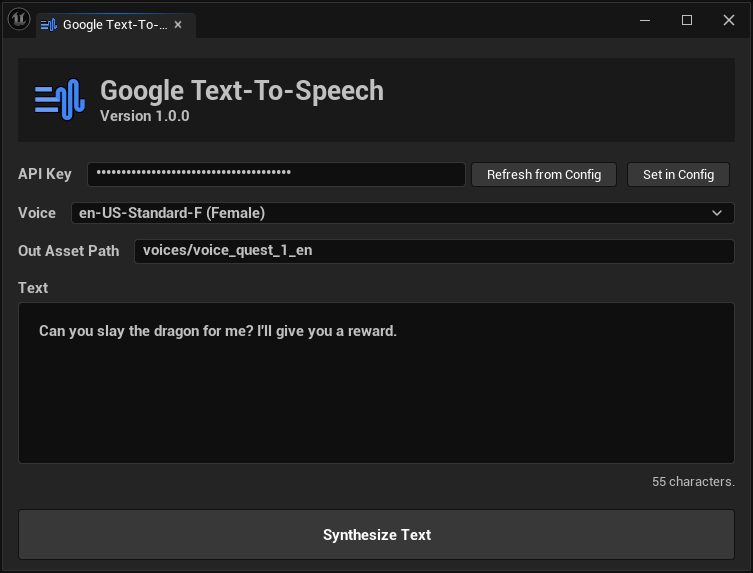
Editor Tools
The plugin adds a Voice Synthesizer panel directly inside the Unreal Editor, so you can generate speech assets without leaving the engine. Open it from the editor's toolbar to get started.
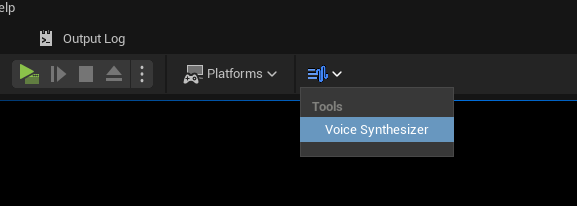
- If you didn't set your API key yet, enter the API key in the
API Keyfield. - Select the voice for your language.
- Enter the text you want to synthesize.
- Add a valid path to where the asset should be created.
- Click on
Synthesize Text.